from intention to action,

one task at a time.

from intention to action,

one task at a time.

I led the end-to-end design of a daily study planner integrated into the distraction-free LearnOS Launcher by Physics Wallah.
The goal was to help students move beyond focus mode and build clarity, structure, and consistency in their study routine — all within the same ecosystem.

TEAM
Product Designer with Product Manager,

2 Developers

TIMELINE

Mar'24 - Jun'24

SKILLS

UX Strategy and Research, Product Thinking, Behavioural Nudge,

Stakeholder Collaboration, UI Designing

IMPACT

  • LearnOS achieved 250K+ installs in 7 months with a 4.5★ rating (3.6K reviews).

  • Introducing the Planner increased DAU/MAU by 23% (from 17.1% to 21%) and drove an 8.3% rise in

  • Tapasya sessions (~40K+ monthly via Planner).

TEAM

Product Designer with Product Manager,

2 Developers

TIMELINE

Mar'24 - Jun'24

SKILLS

UX Strategy and Research, Product Thinking, Behavioural Nudge,

Stakeholder Collaboration, UI Designing

IMPACT

  • LearnOS achieved 250K+ installs in 7 months with a 4.5★ rating (3.6K reviews).

  • Introducing the Planner increased DAU/MAU by 23% (from 17.1% to 21%) and drove an 8.3% rise in

  • Tapasya sessions (~40K+ monthly via Planner).

THE SPARK

THE SPARK

  1. Context

  1. Context

Students want to study, but their phones pull them into distractions.

Students want to study, but their phones pull them into

distractions.

We built LearnOS — a custom

launcher that turns phones into focus-first study tools..

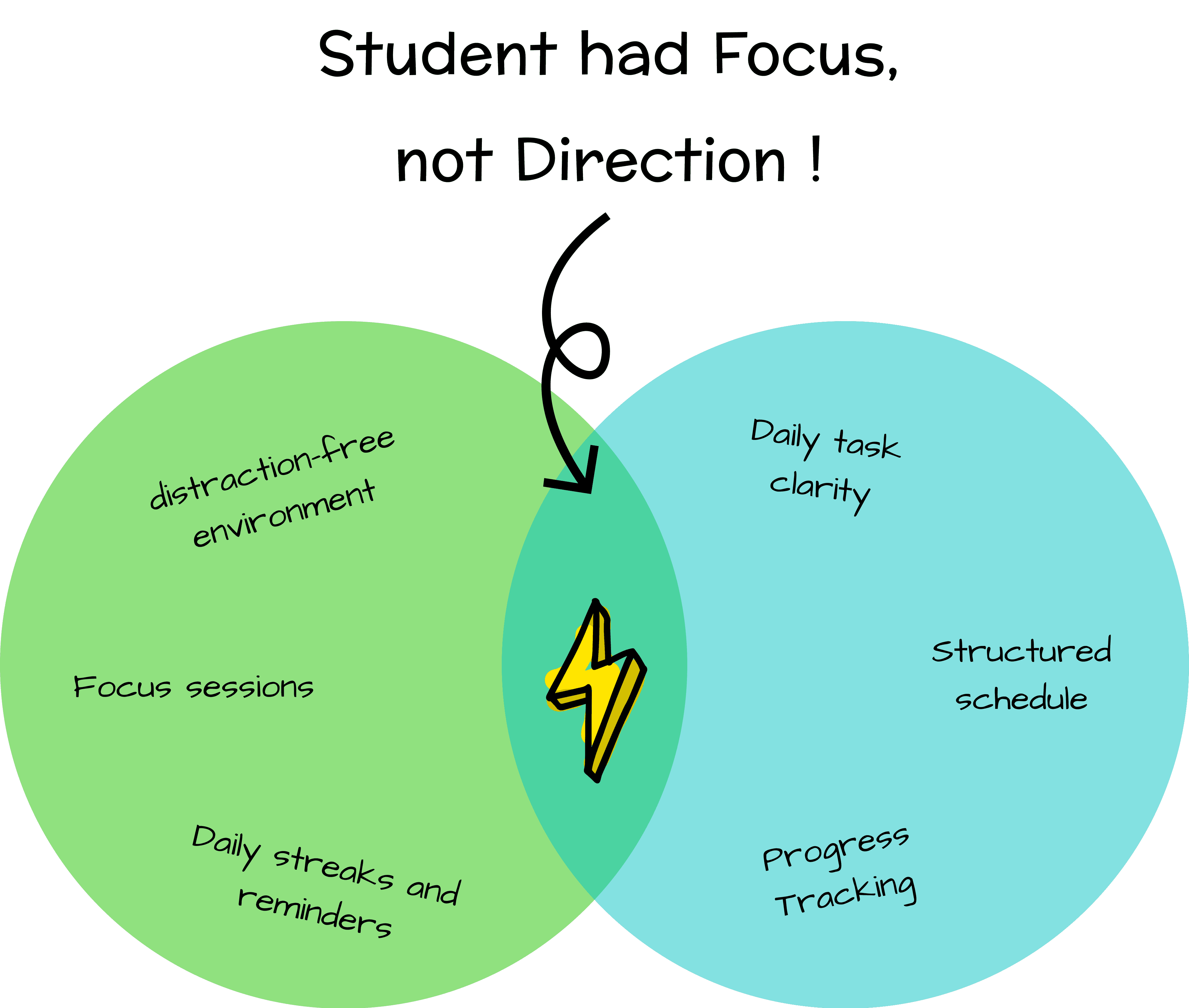
Focus alone wasn’t enough. Students lacked structure and daily planning.

  1. The Opportunity

PROBLEM STATEMENT

  1. The Problem

Currently, LearnOS Launcher helps reduce distractions, but it lacks an integrated planning system that guides students toward their goals, tracks their progress, and reinforces study habits. Despite having the intent to focus and study, students often find themselves disorganized, distracted, and overwhelmed due to lack of structured planning and scattered digital tools.

  1. What We Aimed To Solve

Organize their day with a

centralized task list

Integrate Tapasya sessions

with defined goals

Track task progress and

completion consistently

Build habits around planning

and time-blocking

Stay motivated with nudges,

reminders, and rewards

RESEARCH AND INSIGHTS

  1. User's Behaviour

  1. Business Perspective

  1. The Opportunity

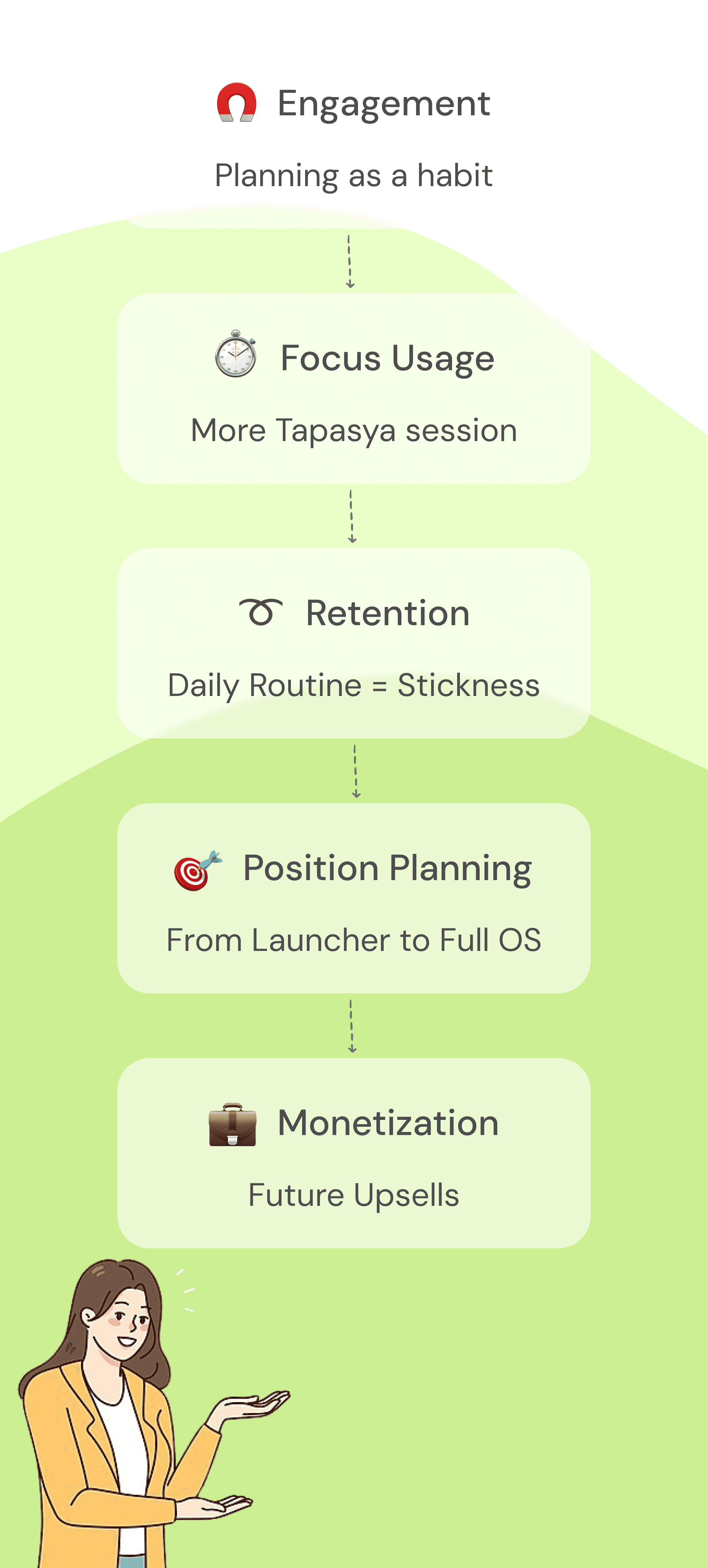
THE PUZZLE PIECES FALLING INTO PLACE

As a designer, I knew one thing — the planner couldn’t feel like a feature. It had to feel like a natural extension of the student’s learning journey. Here’s how we approached it:

  1. Broad Requirement

PROBLEM STATEMENT

  1. The Problem

Currently, LearnOS Launcher helps reduce distractions, but it lacks an integrated planning system that guides students toward their goals, tracks their progress, and reinforces study habits. Despite having the intent to focus and study, students often find themselves disorganized, distracted, and overwhelmed due to lack of structured planning and scattered digital tools.

  1. What We Aimed To Solve

Organize their day with a

centralized task list

Integrate Tapasya sessions

with defined goals

Track task progress and

completion consistently

Build habits around planning

and time-blocking

Stay motivated with nudges,

reminders, and rewards

RESEARCH AND INSIGHTS

  1. User's Behaviour

  1. Entry Flow

We integrated the Planner directly into the LearnOS home screen widget.

⚡

This reduced friction and made planning

feel like a natural part of unlocking the phone.

  1. Business Perspective

It The Planner Home is the central place where students manage their day. It’s designed to give clarity, reduce cognitive load, and encourage routine. It includes:

Focused Sessions

Progress Summary

Chronological list of today’s tasks

Floating CTA to add task quickly

  1. Homescreen

  1. Progress Summary

  1. Task Creation With Tapasya

🙌🏻

Completed Task: when all the subtasks and

the title has been marked as checked

😌

Upcoming Task: those tasks scheduled for

later today or any future time, unless

already marked as completed.

😓

Overdue Task: those past tasks which have

not been completed. If a task is partially

completed, it will be marked as overdue

This was the aha! moment.

They didn’t need more tools — they needed fewer, but more intelligent and intentional ones.

This was the aha! moment.

They didn’t need more tools — they needed fewer, but more intelligent and intentional ones.

THE PUZZLE PIECES FALLING INTO PLACE

As a designer, I knew one thing — the planner couldn’t feel like a feature. It had to feel like a natural extension of the student’s learning journey. Here’s how we approached it:

  1. Broad Requirement

  1. The user desires to track their daily tasks consistently to improve their daily planning and achieve tangible learning outcomes.

  1. The user wants to create a task and schedule a Tapasya session for the same. User can also utilise Instant Tapasya, to initiate a Tapasya session in a snap

  1. The user wants to promote their physical and mental well-being by utilisation of health reminders.

  1. User wants to connect with other Tapasvi and be part of a larger community

  1. Information Architecture

  1. Information Architecture

  1. Outcome we are trying to achieve

  1. Outcome we are trying to achieve

Now, it was time to move from why to how — and begin designing a solution students would actually use.

Now, it was time to move from why to how — and begin designing a solution students would actually use.

SOLUTION AND FINAL DESIGN

SOLUTION AND FINAL DESIGN

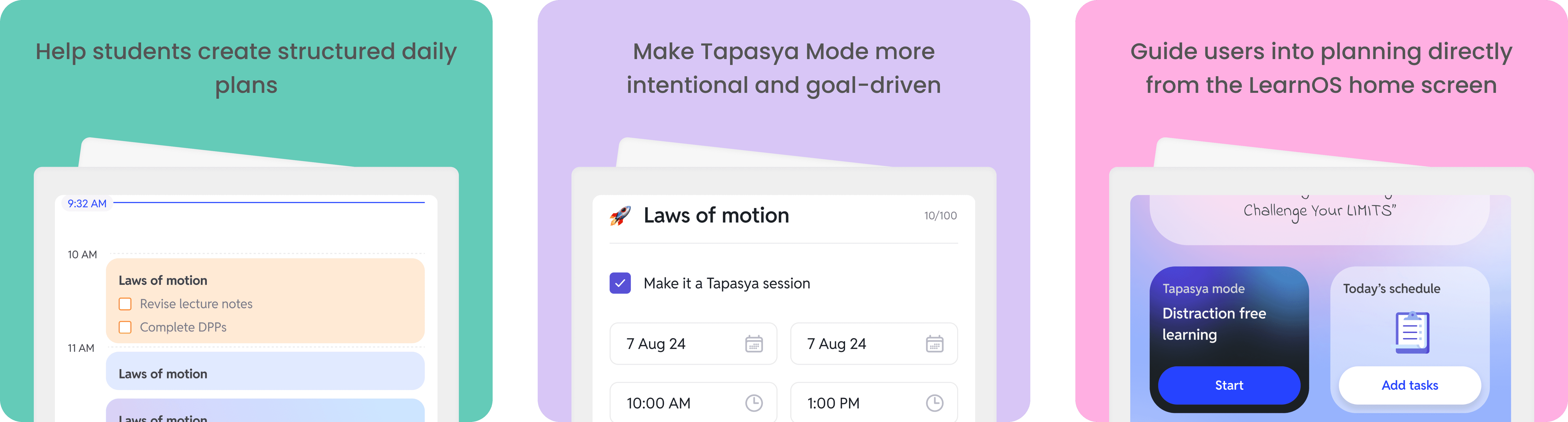
In Phase 1, we introduced a structured task creation flow with Tapasya Mode integration. It allowed students to plan their day, schedule focused sessions, and stay consistent.

  1. Entry Flow

We integrated the Planner directly into the LearnOS home screen widget.

⚡

This reduced friction and made planning

feel like a natural part of unlocking the phone.

  1. Homescreen

It The Planner Home is the central place where students manage their day. It’s designed to give clarity, reduce cognitive load, and encourage routine. It includes:

Progress Summary

Chronological list of today’s tasks

Focused Sessions

Floating CTA to add task quickly

  1. Progress Summary

🙌🏻

Completed Task: when all the subtasks and

the title has been marked as checked

😌

Upcoming Task: those tasks scheduled for

later today or any future time, unless

already marked as completed.

😓

Overdue Task: those past tasks which have

not been completed. If a task is partially

completed, it will be marked as overdue

  1. Task Creation With Tapasya

We needed to build a planning experience that would

✦ Make task creation simple and fast.

✦ Merge tasks with Tapasya where appropriate.

✦ Help students see a clear difference between focus time and general to-dos.

2-in-1 Task Creation Flow: one flow, two modes — with and without Tapasya.

There are 3 easy ways for students to enter Tapasya:

There are 3 easy ways for students to enter Tapasya:

To help students plan better and stay focused with Tapasya, we redesigned key parts of LearnOS to make scheduling, starting, and tracking sessions simple and distraction-free.

1

1

From the LearnOS home- screen

2

1

From a scheduled task

3

1

Via Instant Tapasya

🎯

Tapasya Toggle: Tapasya Mode is turned on

by default while creating a task.

🏃🏻‍♂️

Pre/Post Session Health Reminder: Before and

after Tapasya, students receive nudges

⏰

Pre Session Reminder: A visual CTA appears on

the task card 15 minutes before the scheduled

start,

To help students plan better and stay focused with Tapasya, we redesigned key parts of LearnOS to make scheduling, starting, and tracking sessions simple and distraction-free.

UX Decisions around Task Creation with Tapasya

Task Fields

Tapasya Integration

Time Conflict Management

Repeat Option

Edit & Delete Behavior

🎯

Tapasya Toggle: Tapasya Mode is turned on

by default while creating a task.

🏃🏻‍♂️

Pre/Post Session Health Reminder: Before and

after Tapasya, students receive nudges

⏰

Pre Session Reminder: A visual CTA appears on

the task card 15 minutes before the scheduled

start,

Task Fields

Tapasya Integration

Time Conflict Management

Repeat Option

Edit & Delete Behavior

UX decisions around Task Creation with Tapasya

✦ Conflict Detection: If the selected task time overlaps with an existing one, the user sees a bottom sheet explaining the conflict, with options to Override or Skip.

✦ Offline Creation Support: Tapasya tasks can be created offline. Conflicts are handled locally and resolved once the device is reconnected.

✦ Subtle Nudges: To guide behaviour without interrupting, we included toast prompts.

✦ Fully Editable Unlike Tapasya tasks, normal tasks remain editable even after their scheduled time. Users can update content, timing, subtasks, or delete freely.

  1. Normal Task Creation

  1. Normal Task Creation

While Tapasya Mode supports deep focus sessions, we also needed to account for lighter, everyday tasks that don’t require strict attention. From a UX perspective, the normal task creation flow was designed to be fast, editable, and easy to repeat.

Editable Task

Repeat Task

Daily Progress

Color Personalisation

Edit & Delete Behavior

🗒️

Task Card: Choose a solid pastel color for the

task card

🎯

Tapasya : Tapasya toggle is switched OFF

(either manually or by default)

⏰

Reminder : Health Reminder is not a part of

normal task, just a task reminder is there.

  1. Dark Mode

IMPACT

  1. Dark Mode

IMPACT

250K app installs

LearnOS achieved 250K app

installs on the Play Store over

7 months since launch

4.5★ rating maintained

(3.6K users) reflecting strong adoption & usability

DAU/MAU ratio of 21%

validating the introduction

of a planner tool

8.3% more tapasya sessions

via the planner (40K+ incremental monthly sessions)

Talk Design Over Chai?

If you’ve scrolled this far, maybe we’re meant to chat.

Normal tasks are those that are not linked to Tapasya Mode. These tasks are meant for general to-dos like casual reading, short reminders, or lightweight activities that don’t require deep focus.

Task Fields

Repeat Option

Task Reminder

Color Personalisation

Edit & Delete Behavior

🗒️

Task Card: Choose a solid pastel color for the

task card

🎯

Tapasya : Tapasya toggle is switched OFF (either

manually or by default)

⏰

Reminder : Health Reminder is not a part of

normal task, just a task reminder is there.

250K app installs

LearnOS achieved 250K app installs on the Play Store over 7 months since launch

4.5★ rating maintained

(3.6K users) reflecting strong adoption & usability

DAU/MAU ratio of 21%

validating the introduction

of a planner tool

8.3% more tapasya sessions

via the planner (40K+ incremental monthly sessions)

Talk Design Over Chai?

If you’ve scrolled this far, maybe we’re meant to chat.

Sharmishtha, 2025

Made with ❤️

Sharmishtha, 2025

Made with ❤️

Create a free website with Framer, the website builder loved by startups, designers and agencies.